WebEnergis - Login
Web browser settings information
-
 Firefox ESR (The newest available version)
-
 Google Chrome (The newest available version)
-
 Microsoft Edge (The newest available version)
-
Use following combination on your keyboard: CTRL+SHIFT+DEL.
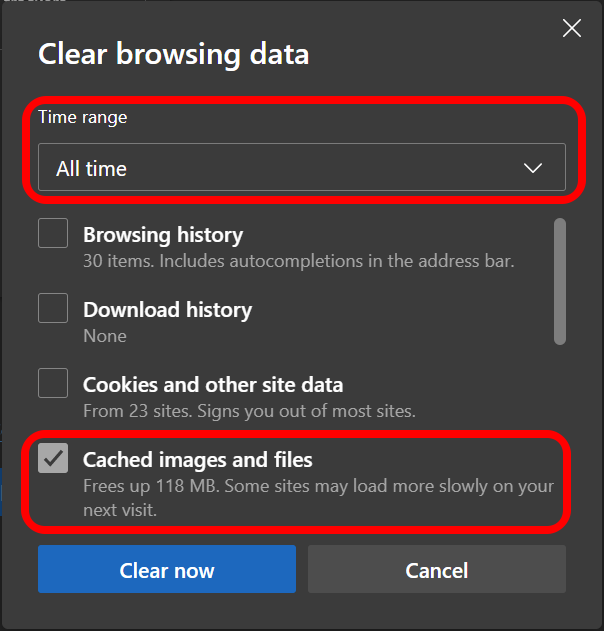
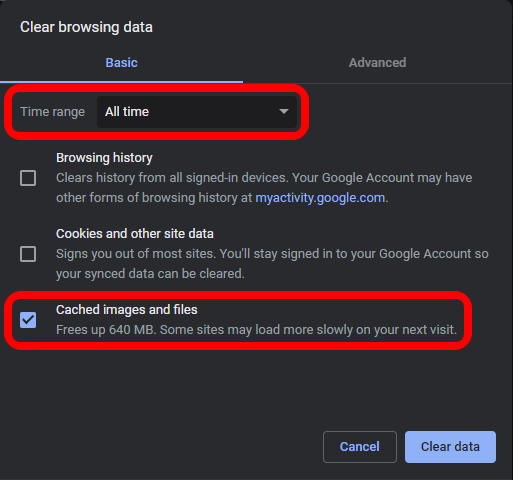
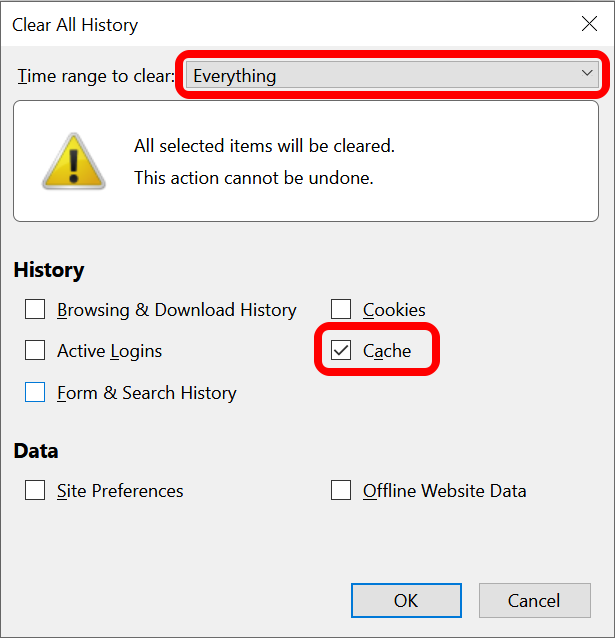
- In 'Time range to clean' section select 'Everything'.
- Check 'Cache' only.
- Delete
-
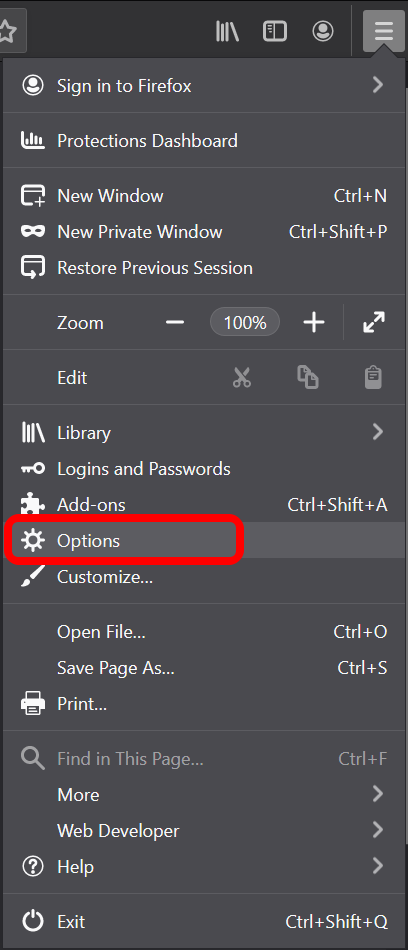
Click the Tools, then click on the Options
-
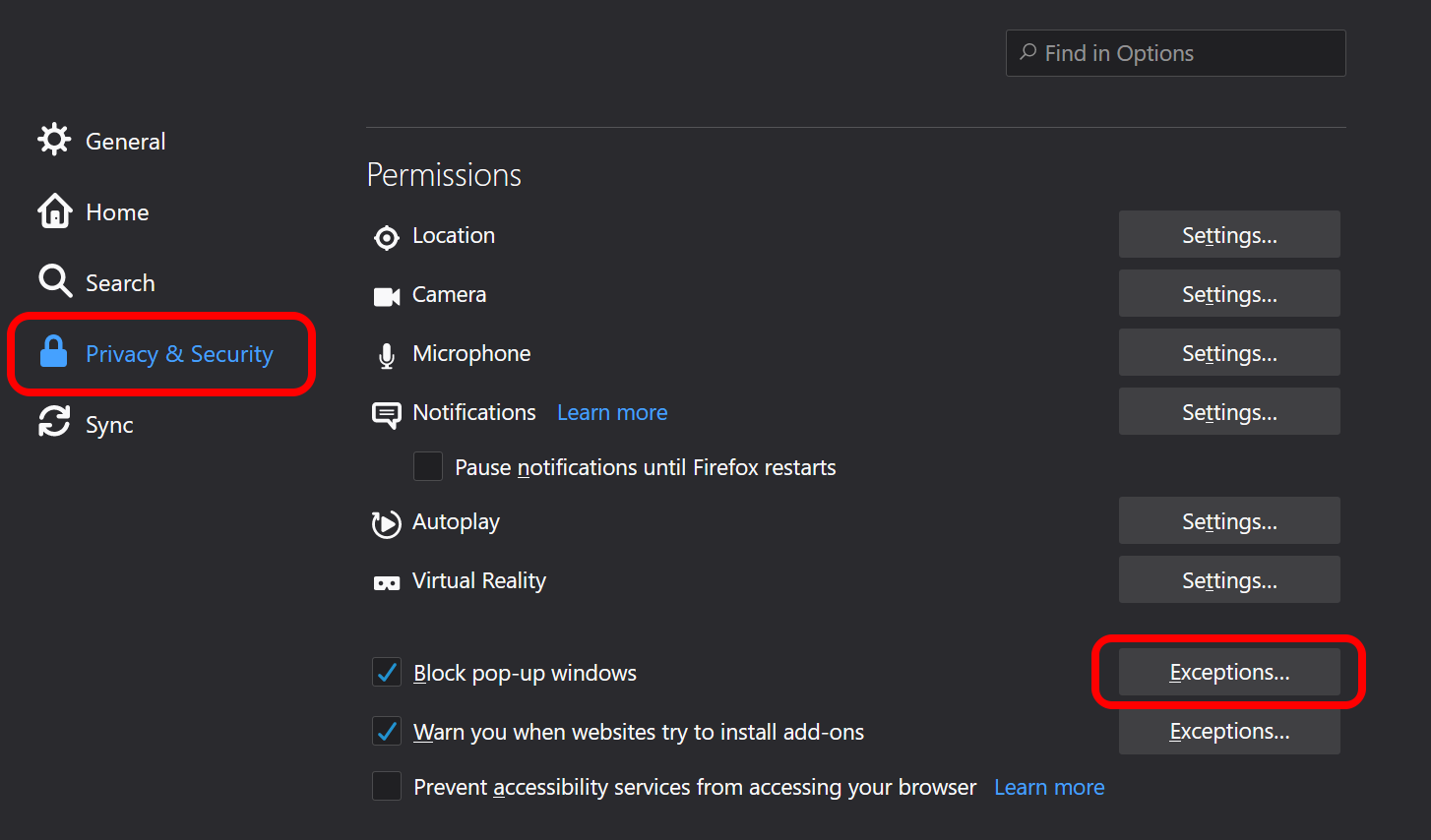
On the 'Privacy & Security' card, click on the 'Exceptions' in the 'Block pop-up windows' section
-
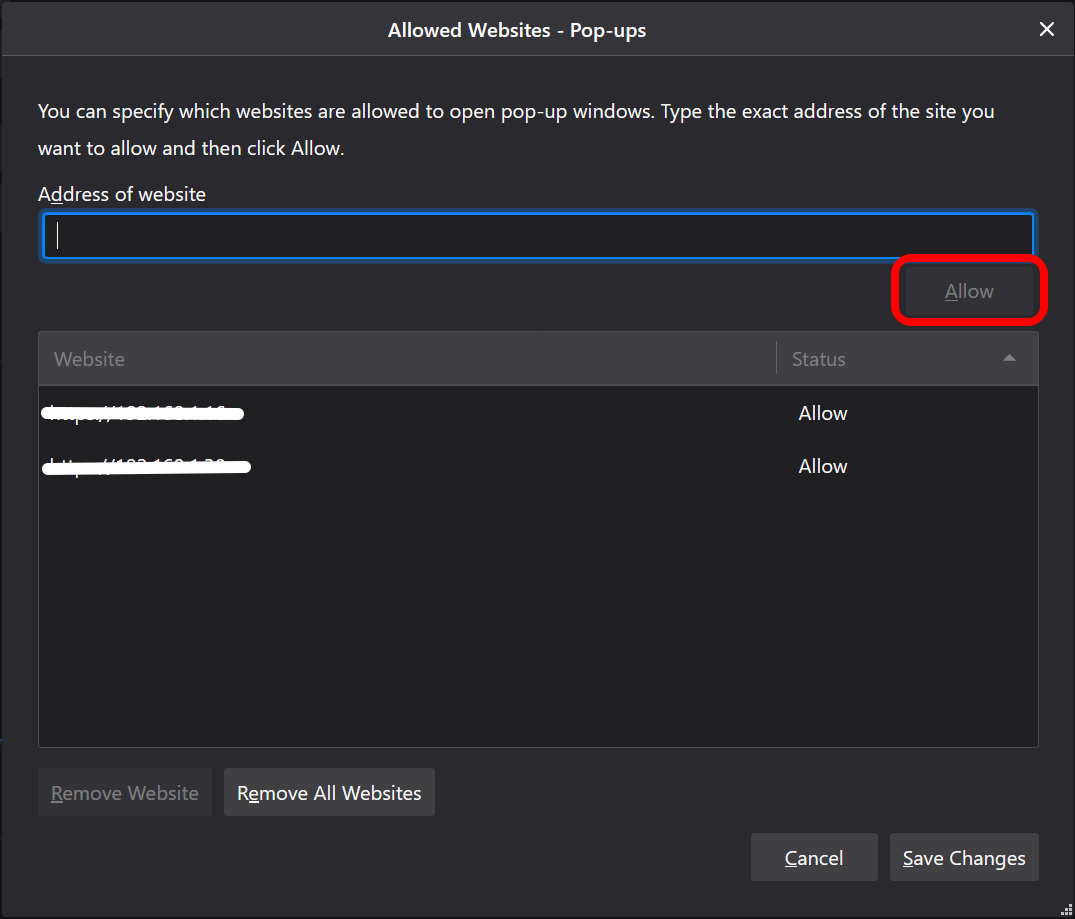
Click on 'Add / Allow'.
-
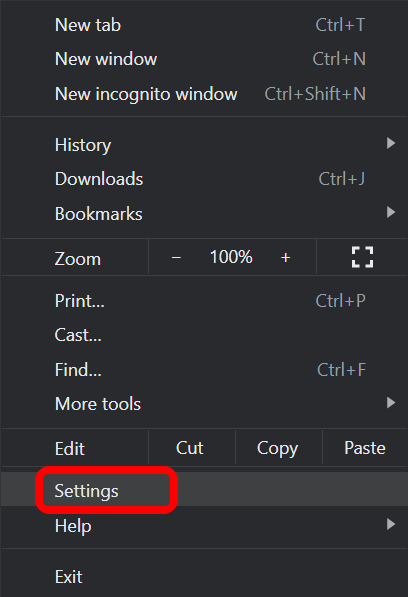
Click the Tools, then click on the Options
-
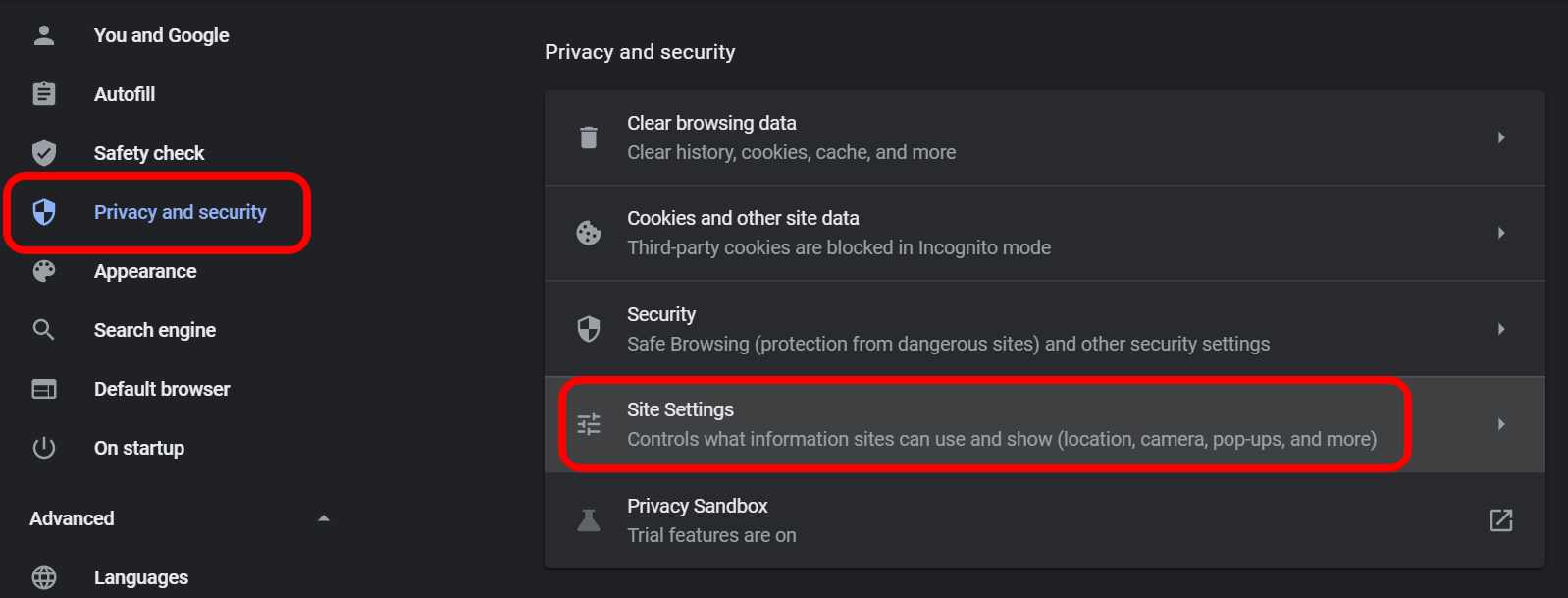
On the 'Privacy and Security' card, click on the 'Site settings'.
-
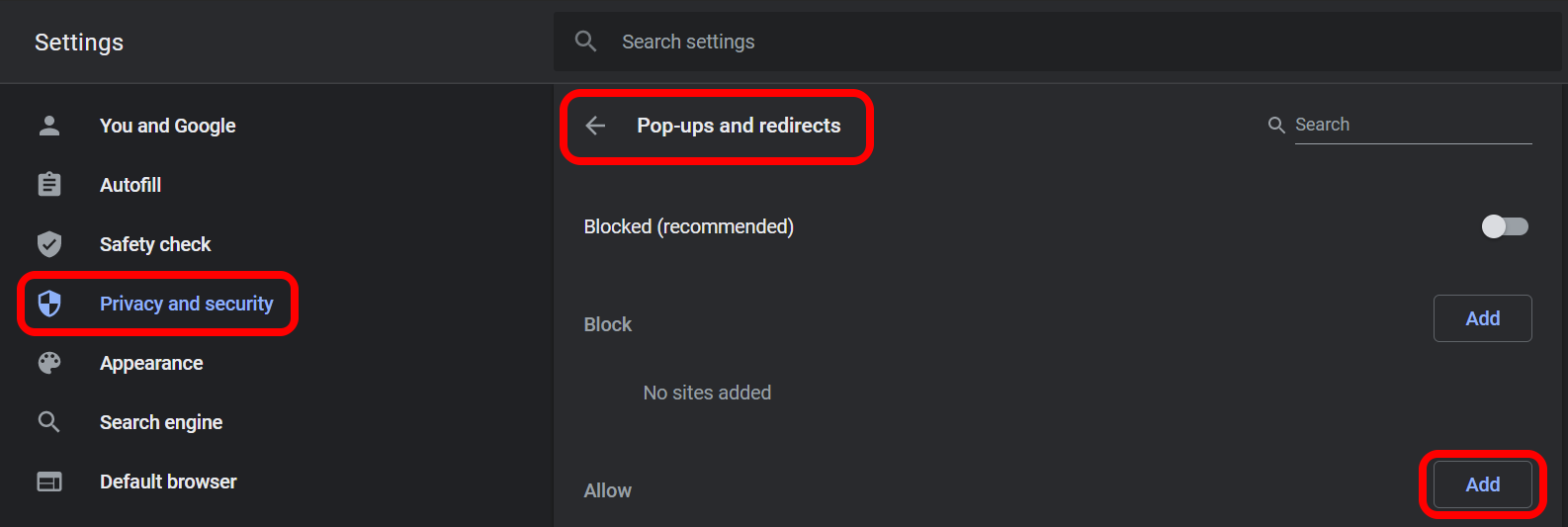
Click on 'Add / Allow'.
-
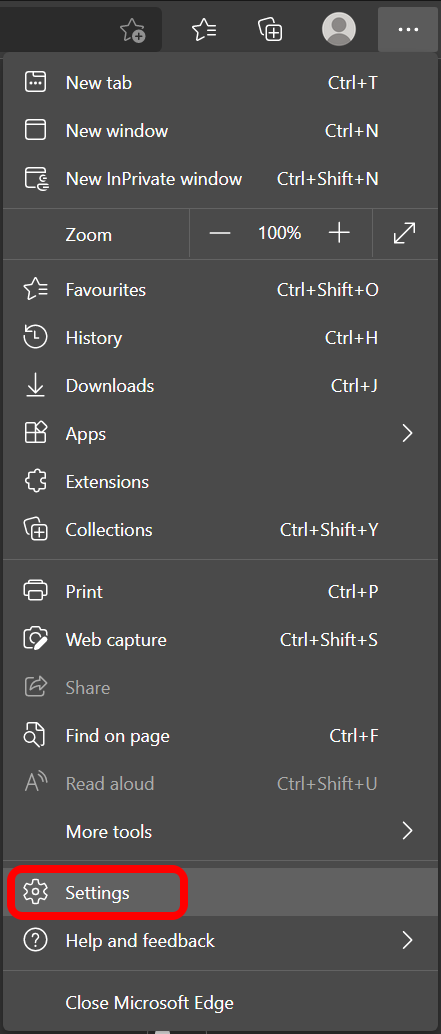
Click the Tools, then click on the Options
-
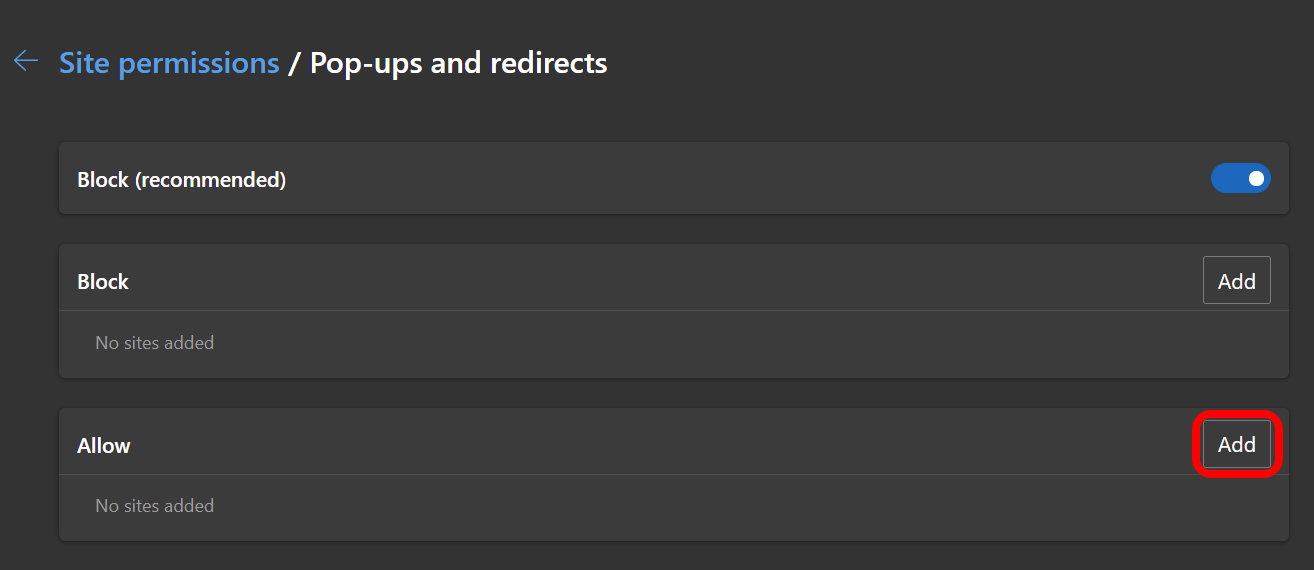
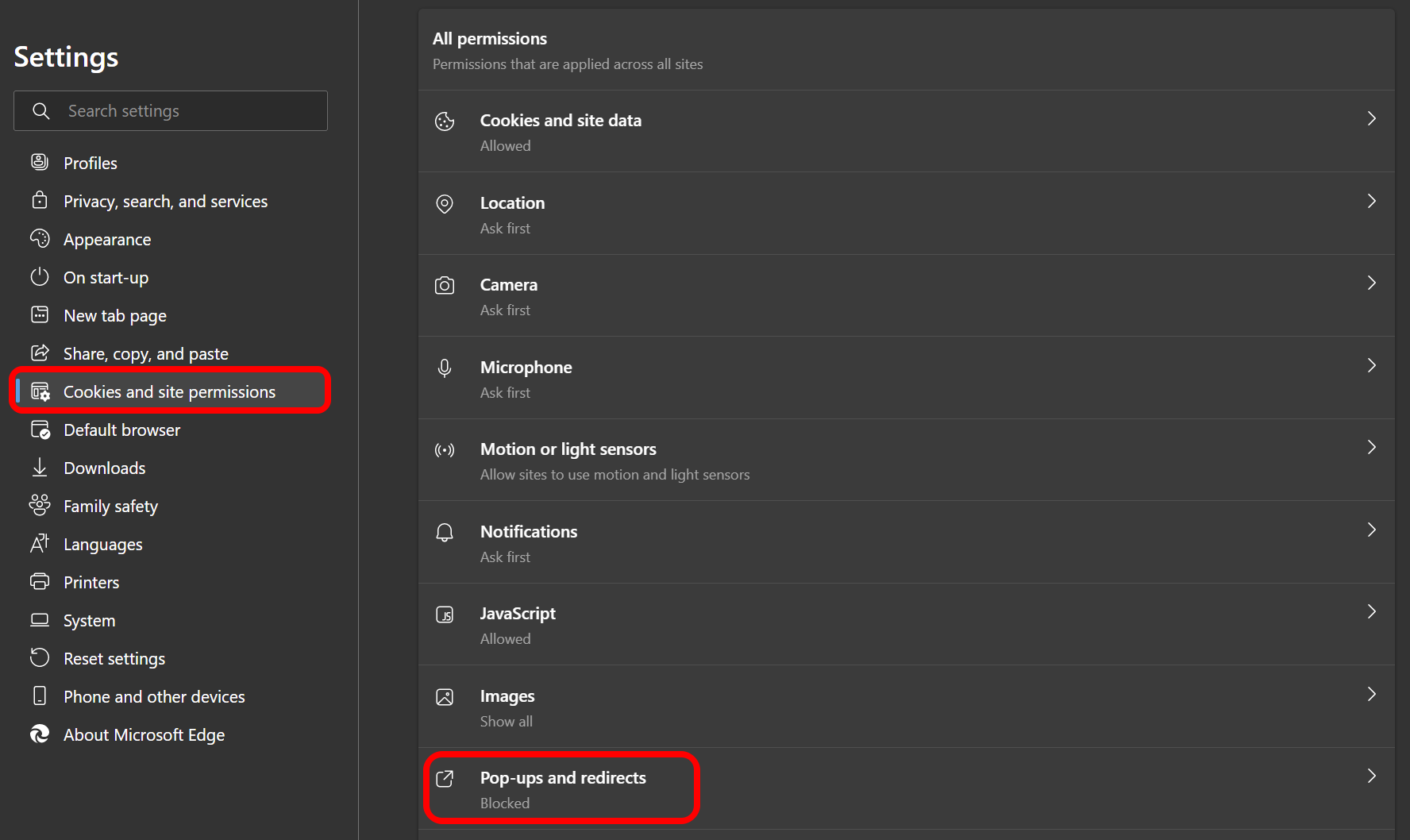
On the 'Cookies and site permissions' card, click on the 'Pop-ups and redirects' in the 'All permissions' section.
-
Click on 'Add / Allow'.